About Ping Pong
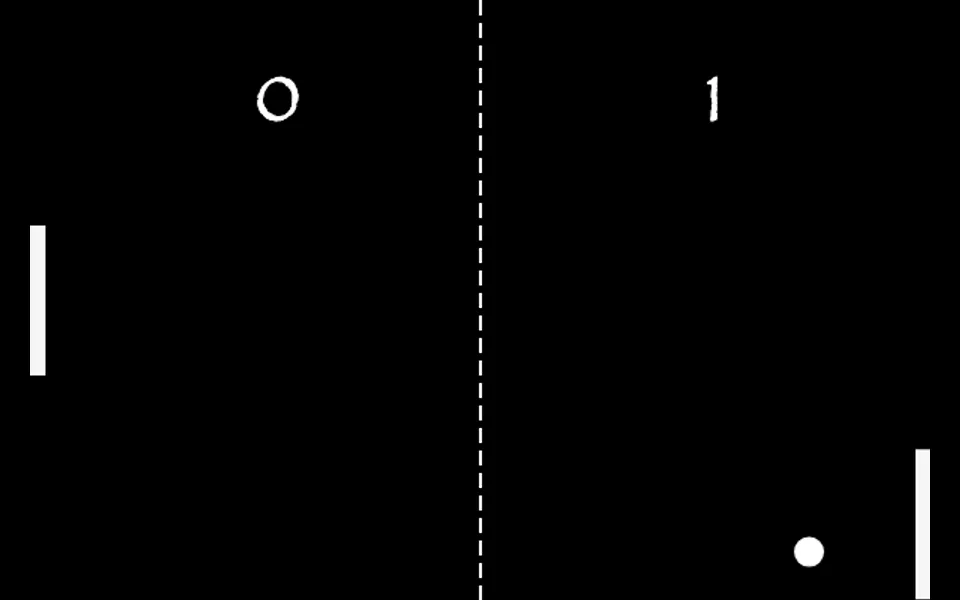
Ping Pong is a small take on the classic arcade game Pong, played in the browser against a computer opponent. Your paddle sits on the left side of the court and the computer's on the right. The ball bounces between them and off the top and bottom walls, and you score a point each time it gets past the other paddle. You steer your paddle with the mouse: move the pointer up and down over the court and the paddle follows it. There are no menus to get through. The game starts as soon as the page loads, and the score for each side is shown at the top of the court. After every point the ball returns to the center and play carries on.
Where the ball meets your paddle matters. Hits near the middle send it back fairly flat, while hits near the ends send it off at a steeper angle, which is the main way to wrong-foot the computer. The ball also speeds up a little with every hit, so long rallies get harder the longer they last. The computer paddle tracks the ball smoothly rather than perfectly, so it can be beaten. The court is a compact 600 by 400 pixel canvas, which makes this a quick game for a short break. Because the paddle follows mouse movement, it is designed for a mouse or trackpad, and a desktop or laptop is recommended.
What you can do
- Single-player Pong against a computer opponent
- Mouse control with no setup or menus
- Hit angle depends on where the ball meets your paddle
- The ball speeds up with each hit, so rallies get harder
- Running score for you and the computer
How to use it
- Open the game on a desktop or laptop. Play starts right away.
- Move your mouse up and down over the court to position your paddle on the left.
- Meet the ball near the ends of the paddle to send it back at a sharper angle.
- Get the ball past the computer's paddle to score, and keep it from getting past yours.
Controls: Mouse