About Game of Life
Game of Life is a browser version of the cellular automaton devised by the mathematician John Conway in 1970. The world is a grid of square cells, each of which is either alive or dead. There is no player once it starts: you set up a starting pattern and watch what the rules make of it, one generation at a time. Each generation, every cell looks at its eight neighbors and four rules decide what happens next. A live cell with fewer than two live neighbors dies, as if from isolation. A live cell with two or three live neighbors survives. A live cell with more than three live neighbors dies, as if from overcrowding.
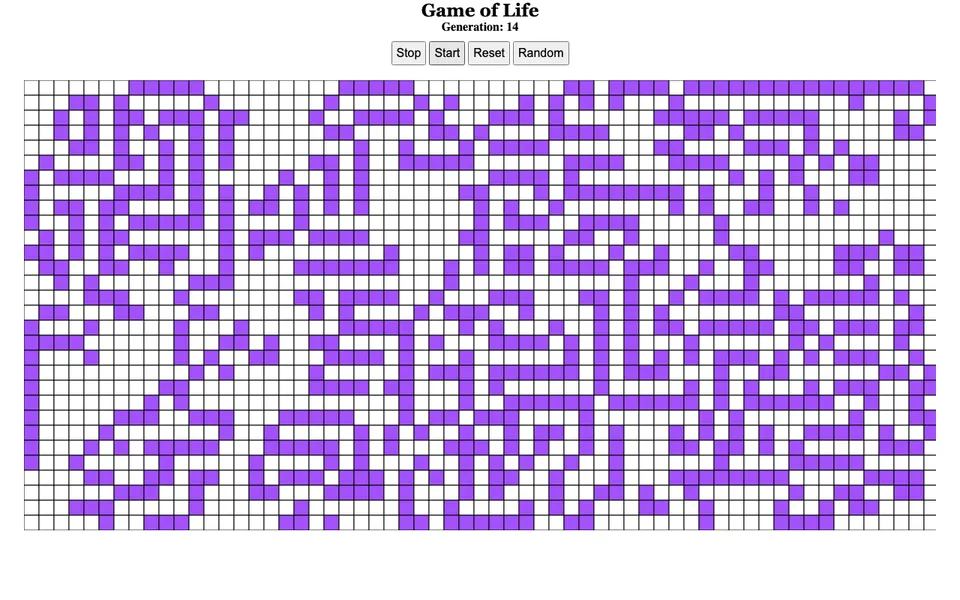
A dead cell with exactly three live neighbors comes to life. Those few rules are enough to produce a surprising range of behavior. In Conway's game, some patterns settle into still shapes, some flip back and forth between two states, and some drift across the grid. A random start often churns for a long time before it calms down. Here you can click cells to switch them on or off, fill the board with a random pattern, start and stop the simulation, and reset to an empty grid. A counter shows how many generations have passed. It is a simple, hands-on way to see complex behavior emerge from simple local rules.
What you can do
- A full-window grid of cells you can toggle with a click
- Start, Stop, Reset and Random controls
- A generation counter that shows how far the simulation has run
- Conway's four classic rules of survival, death and birth
How to use it
- Click cells on the grid to bring them to life, or press Random to fill the board.
- Press Start to run the simulation and watch the generation counter climb.
- Press Stop to pause, then click cells to change the pattern before starting again.
- Press Reset to clear the grid and start from scratch.
Controls: Click or tap cells to toggle them; on-screen buttons for everything else